a1c app · lead ux/ui designer · 2024
We had real-time glucose data but users were still guessing.
Here’s how I turned data into actionable insights.
Role
lead UX/UI designer
company
GraphWear Technologies
TIMELINE
mar 2022 – june 2024
TOOLS
Figma, Jira
— 01 — the background
From clinical to everyday use
GraphWear was preparing for Series C.
The company had built a strong foundation in clinical CGM tools, primarily for Type 1 diabetes.
But this space was:
Highly competitive
Clinically constrained
Limited in reach
The opportunity was clear:
Expand into:
Type 2 diabetes
Pre-diabetic users
Health-conscious consumers
The challenge wasn’t building new technology—it was making existing data understandable for everyday users.
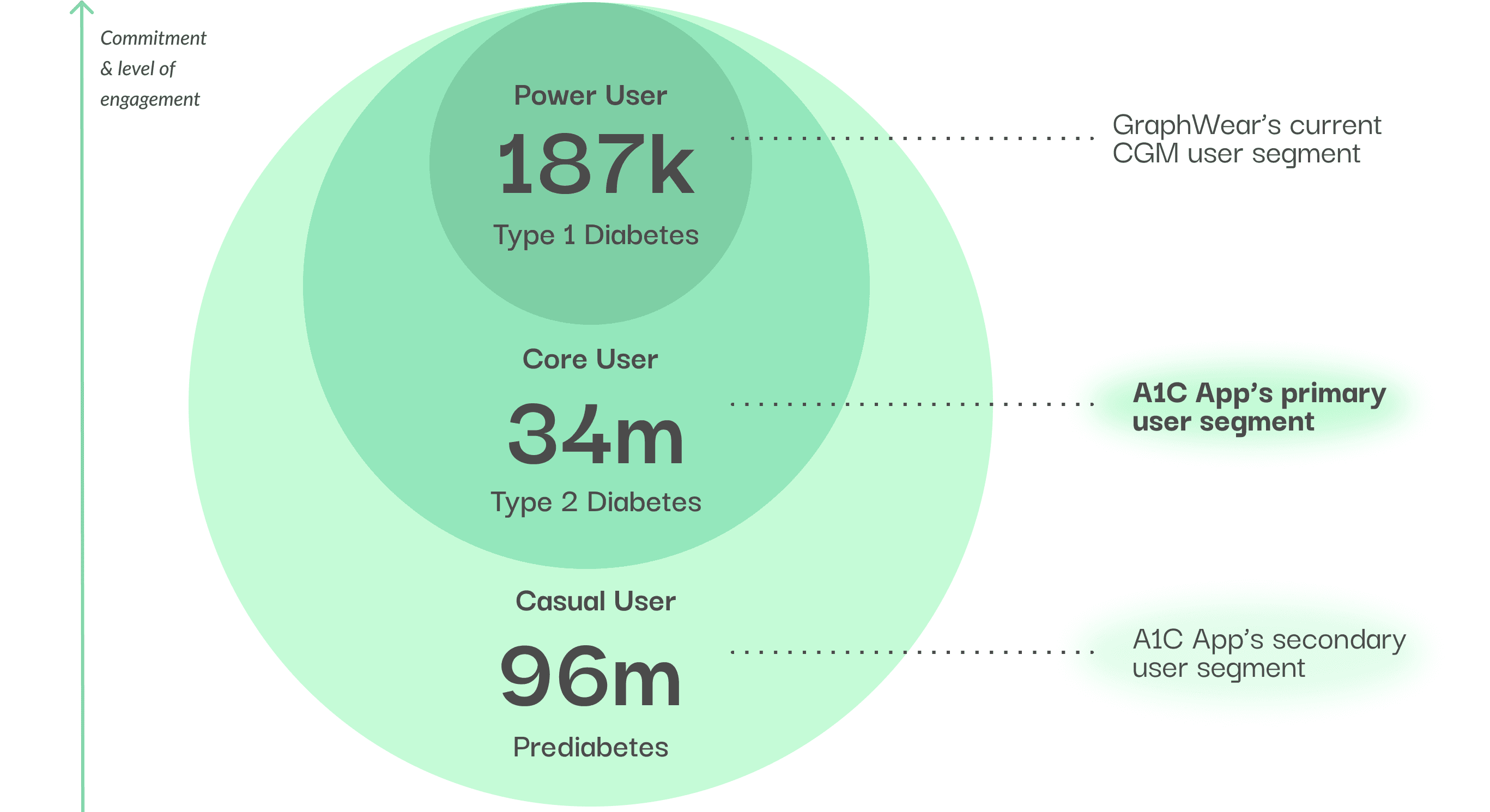
This diagram shows the expansion from power user to core & casual user
— 02 — The Core Problem
Users see the data—but don’t understand it
Through interviews with users aged 30–60, a consistent pattern emerged:
Users could see glucose spikes.
But they couldn’t explain them.
They were left guessing:
Was it the food?
The timing?
The activity?
I'm scared of looking at my glucose data. If it's a "bad" number, it ruins my mood. Most of the time I don't know what I did wrong.
-Mary
Without understanding the “why,” users couldn’t take meaningful action.

— 03 — Design Principle
give control back to the users
To give the sense of control back to the users and to actually help them take initiative We reframed the do's & don'ts:
This became the guiding principle for all design decisions.
What we don't want: ❌
Show more data (overwhelm them)
Increase accuracy (not the point)
What we want: ✅
Help users understand why changes happen
Give them a sense of control over their body
Because:
Clarity comes from how information is framed—not how much is shown.
— 04 — iteration & testing
How to Make Data Understandable
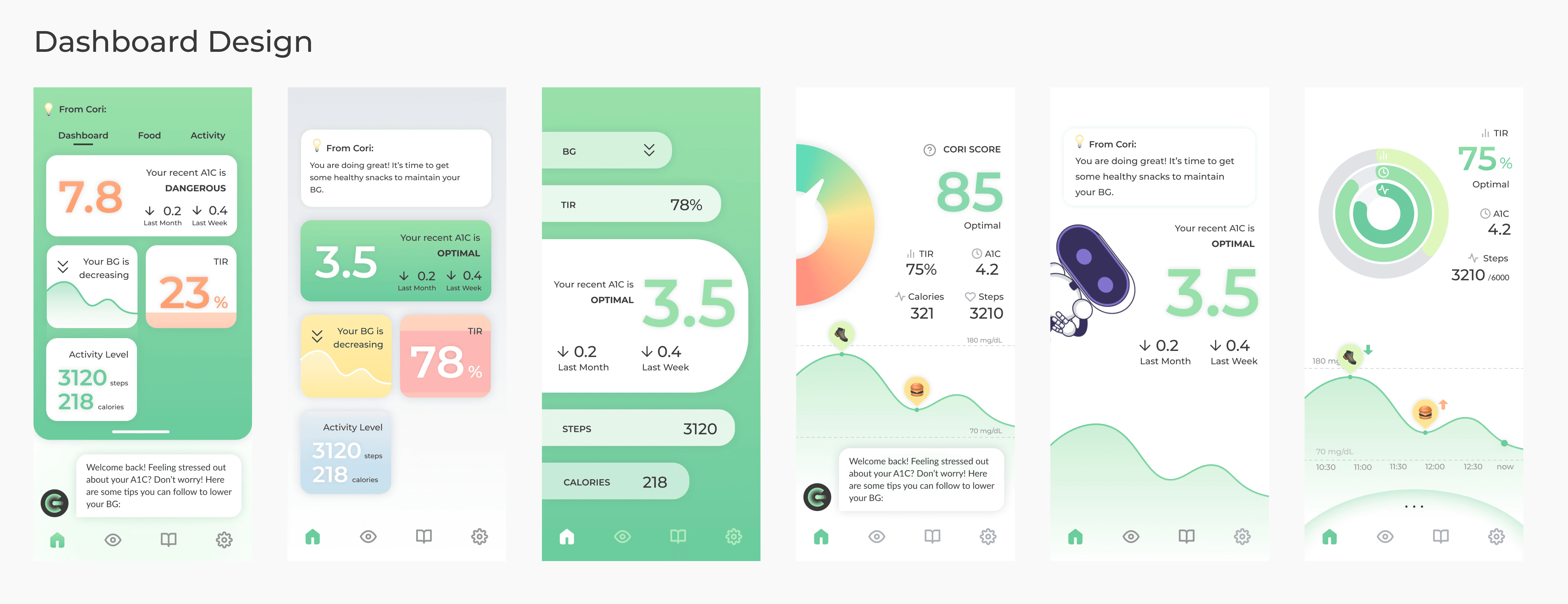
With the goal of helping users understand “why,” I explored multiple ways to present daily glucose data with the goal of:
Reduce guesswork
Reduce mental stress
making the hidden pattern visible
Then, I conducted guerrilla testing with in-house patients, focusing on the clarity of data without causing stress.
— 05 — THE system
the solution emerged through testing
We translated complex health data into a system that answers what, when, and why.
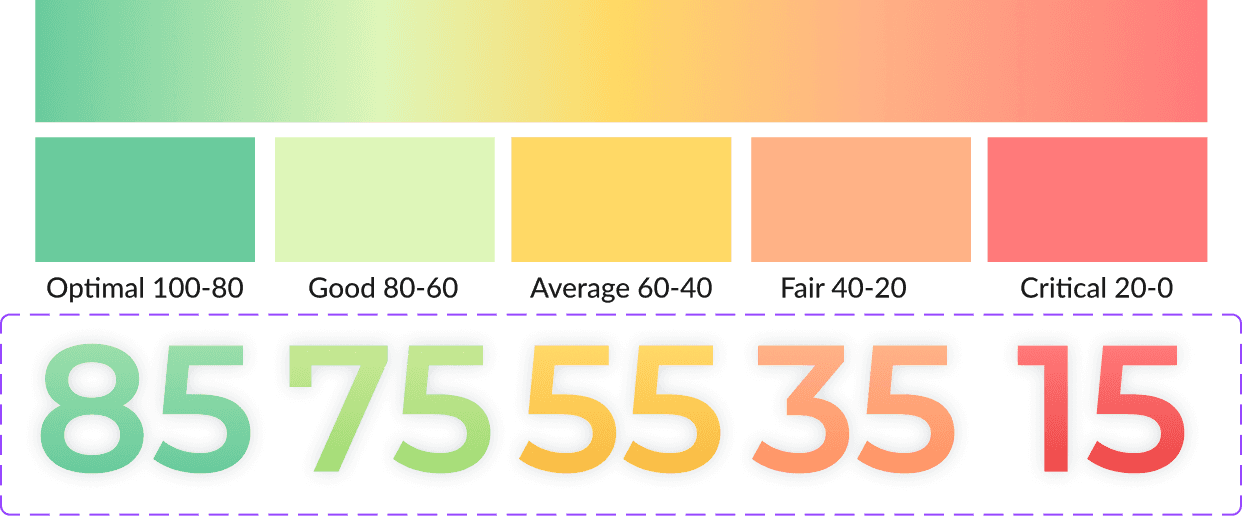
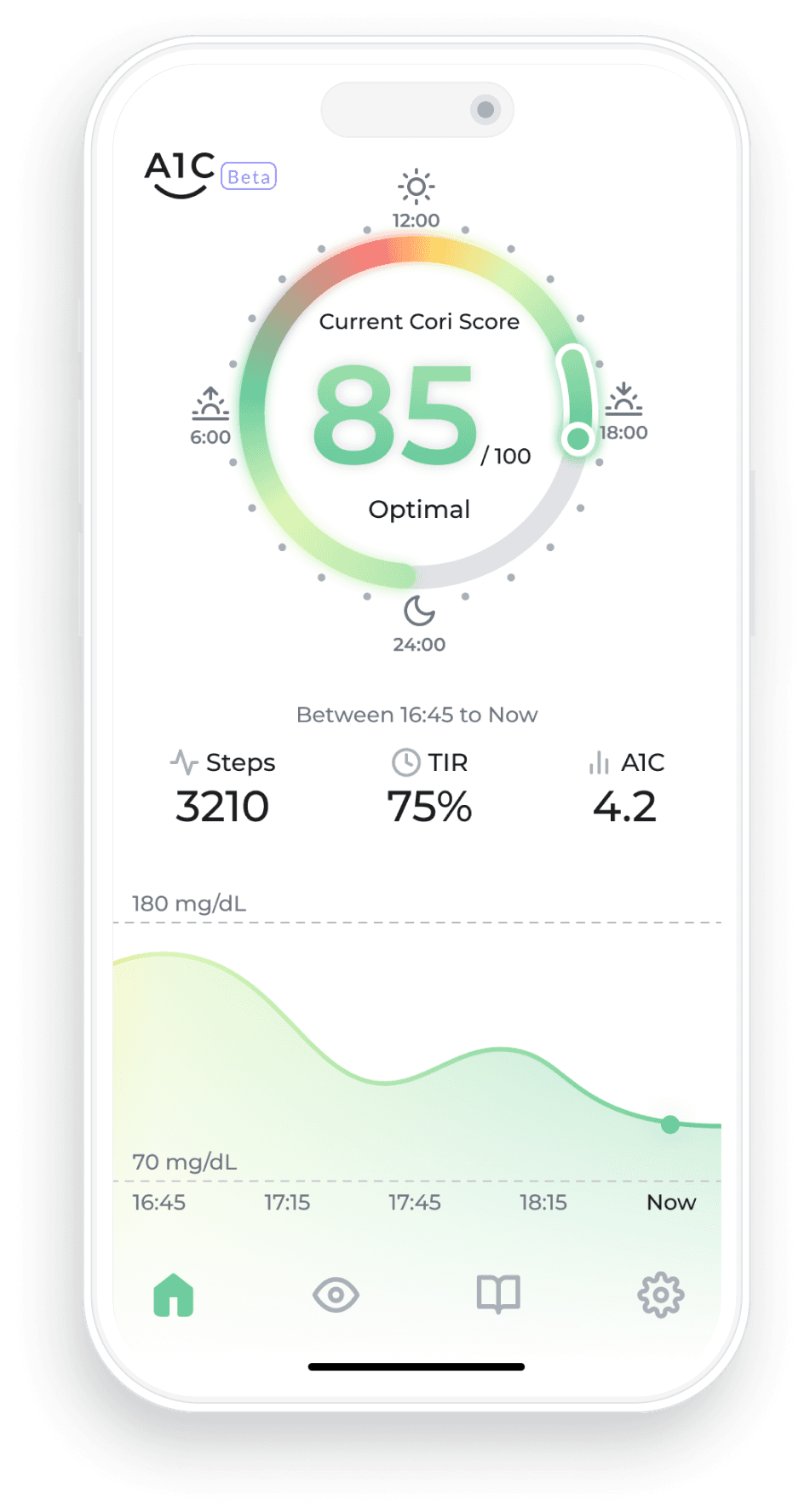
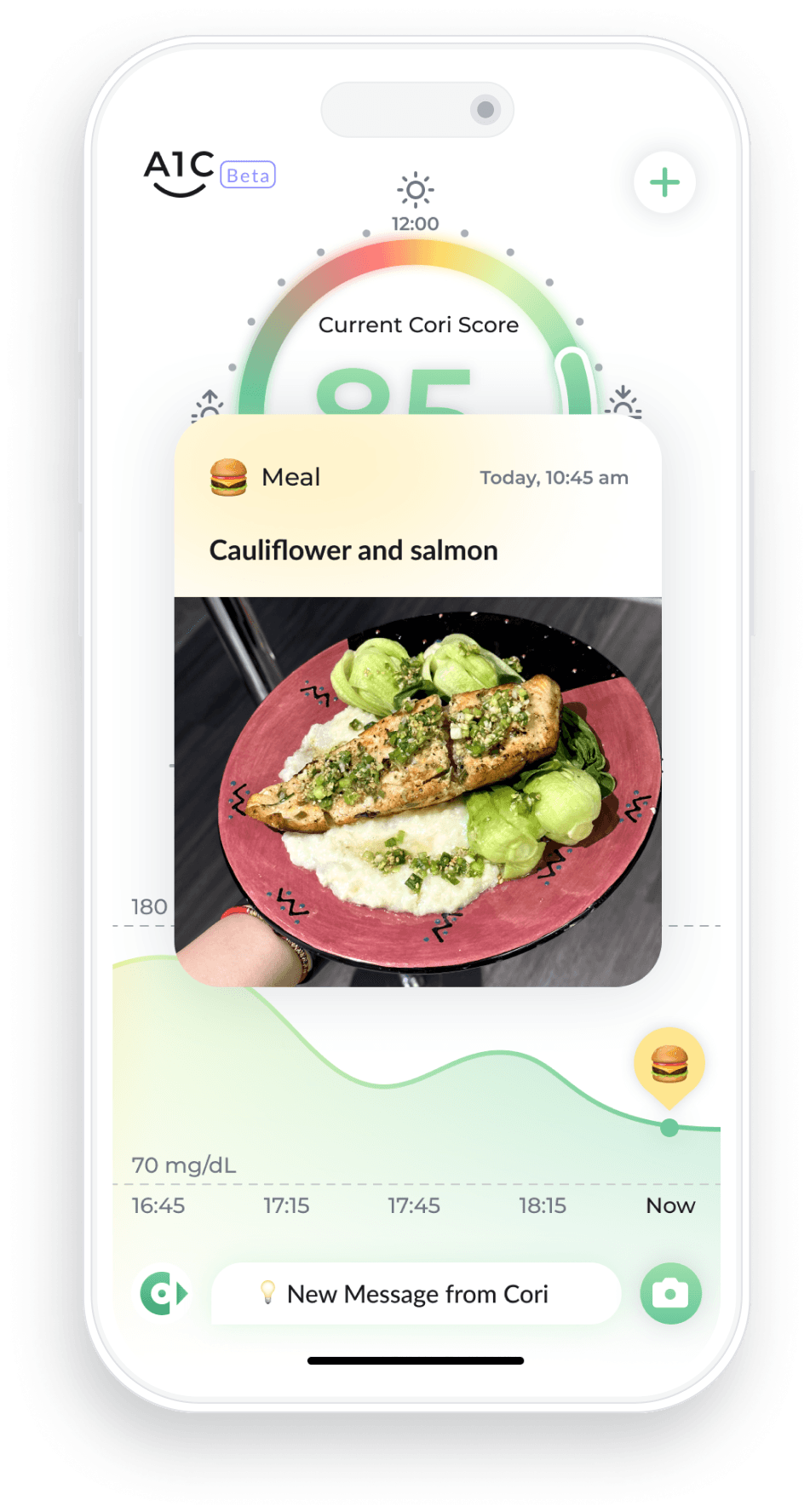
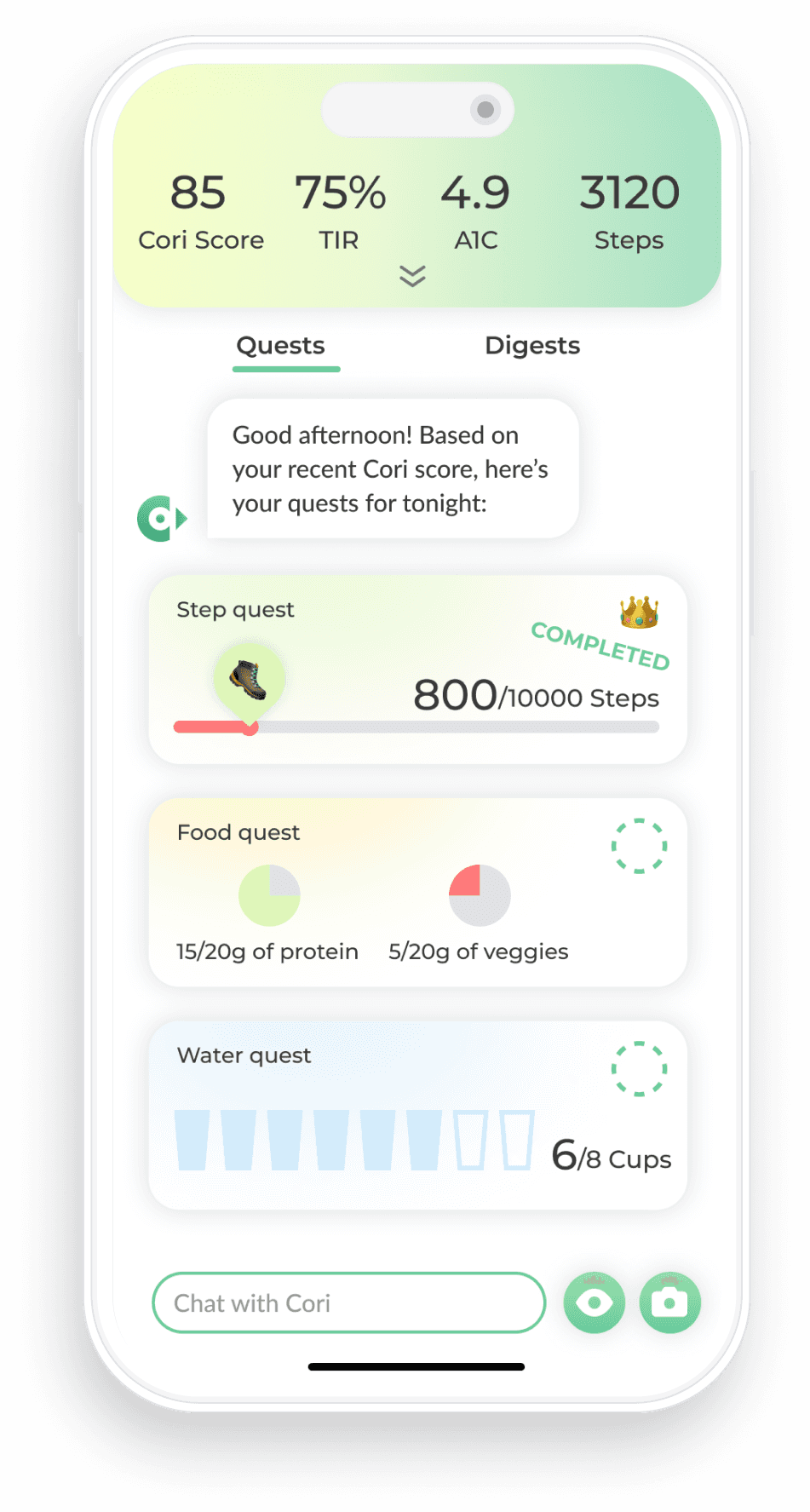
Cori Score - The How
A simplified daily performance indicator combining:
Glucose levels
Activity (steps)
Time in range (TIR)
→ Helps users quickly understand “how they’re doing” and reduce effort of processing data.
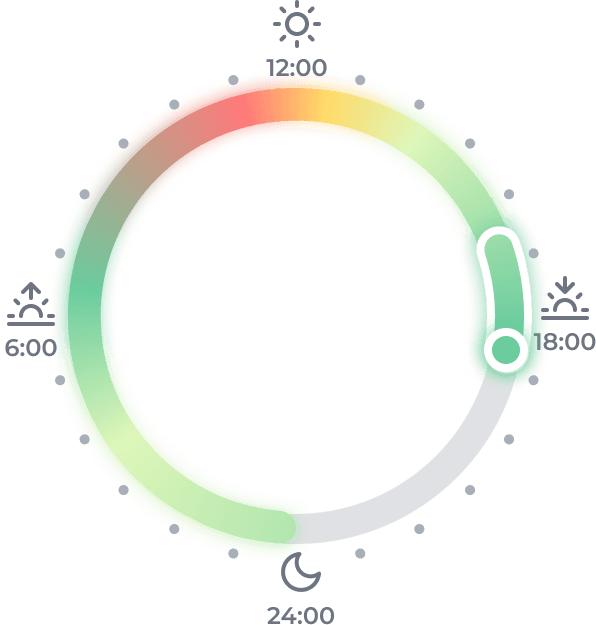
Cori Ring - The When
A 24-hour visual map of daily performance:
Color-coded timeline
Highlights patterns across the day
→ Helps users identify when things go wrong.
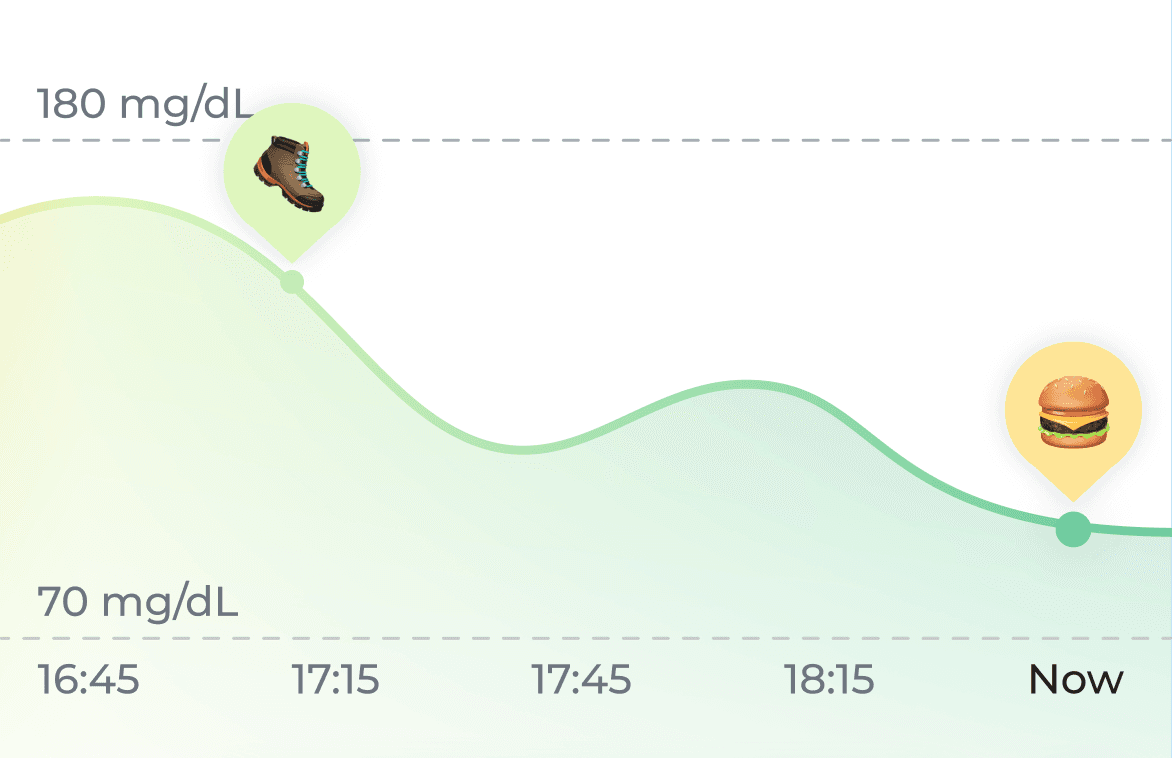
Glucose Curve Stamps - The What
Overlaying key behaviors over the glucose curve:
Food intake
Water intake
Activity
→ Helps users understand what caused it.
— 06 — THE outcome
From passive tracking to active understanding
The final experience enables users to:
See their daily performance at a glance
Identify patterns across time
Connect behaviors to outcomes
It reinforces the positive feedback loop of:
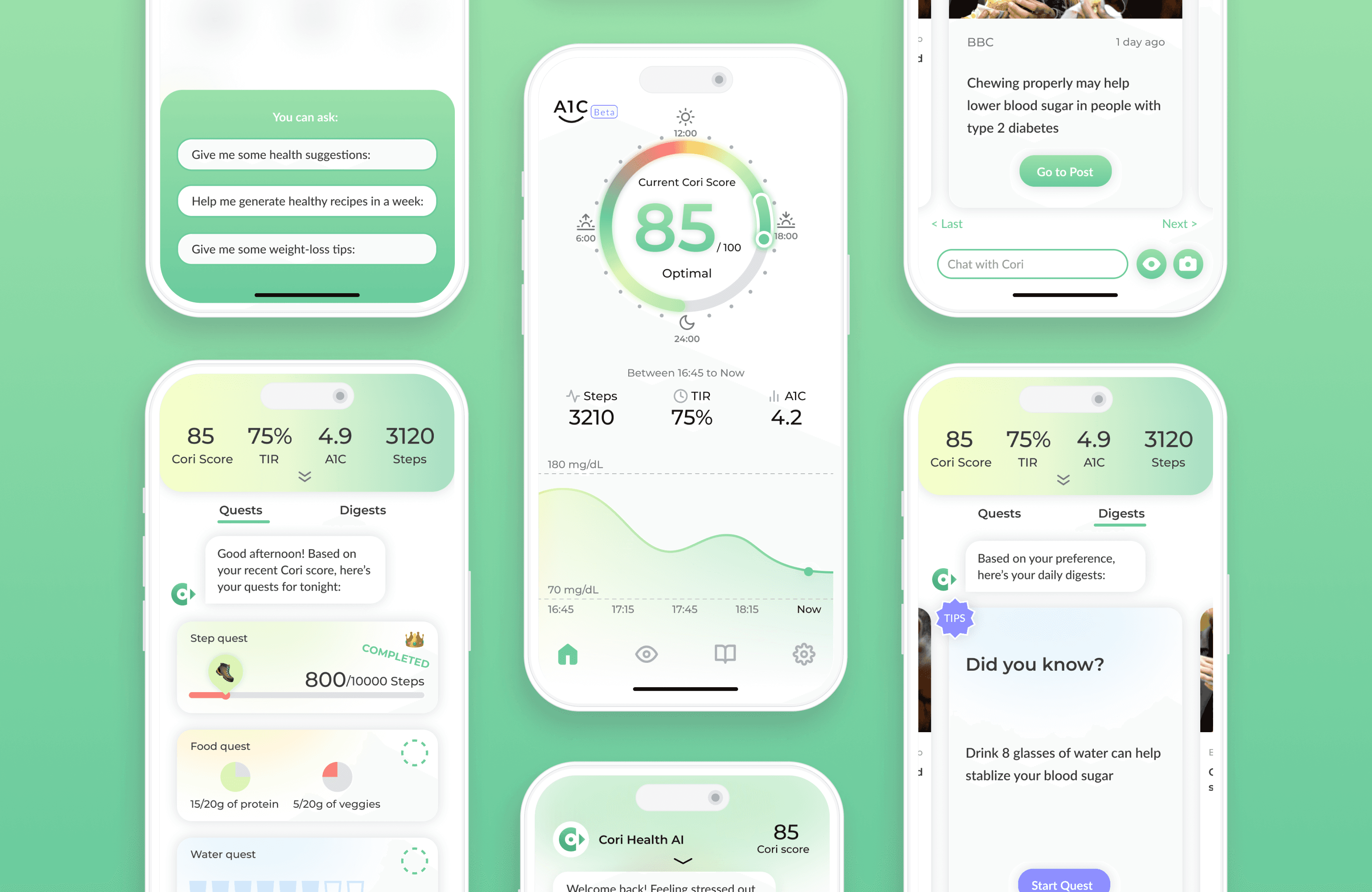
Seeing data → Understanding data → Taking action → Improving
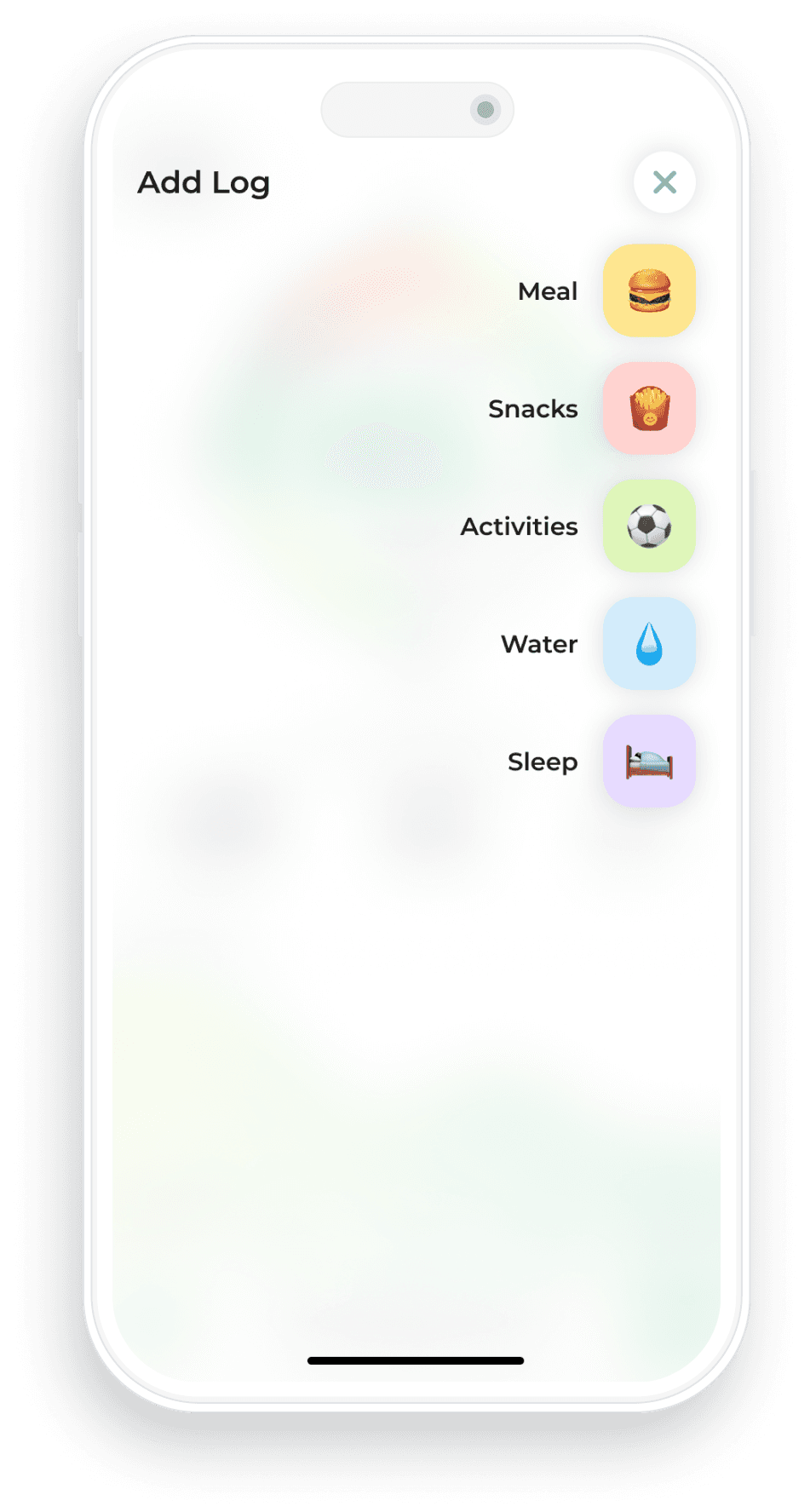
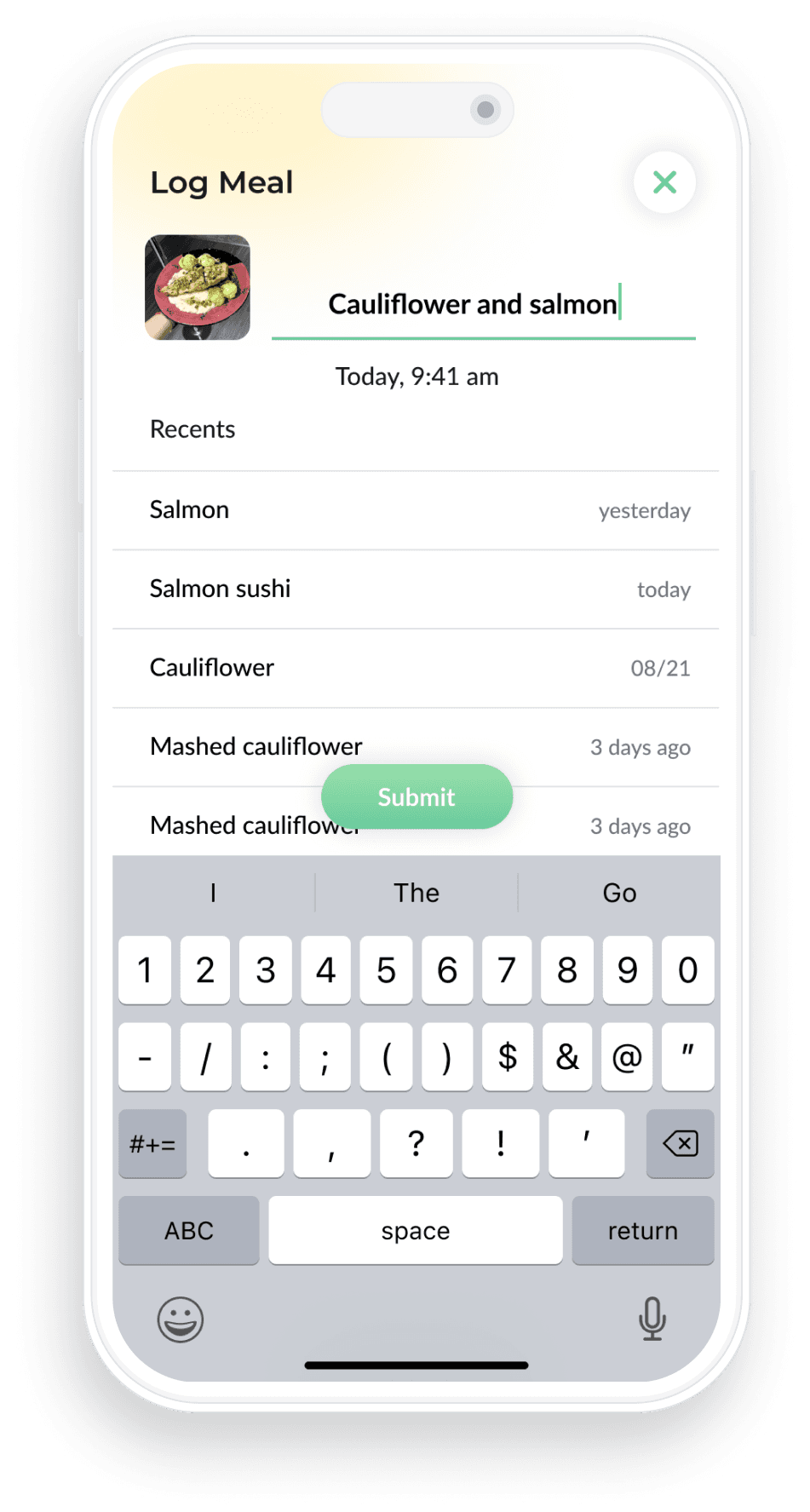
Final UI
— 07 — reflection
Designing within tension—not in ideal conditions
In complex environments, design isn’t about achieving perfect alignment. It’s about choosing what matters most—and protecting it.
At the time, the project operated under competing forces:
Existing clinical legacy
New business direction
Frequent feature-driven requests from leadership
This created tension between long-term product vision vs immediate execution needs.
For this project, that meant ensuring that no matter how many directions the product was pulled in, users could still answer one question:
“What happened—and what should I do next?”